
Creating a document in Strev allows you to draft contracts, agreements, and other business documents directly within the platform. This ensures everything stays centralized, trackable, and ready for review or signature workflows.
Where to Find It
Navigate to:
Documents → Create
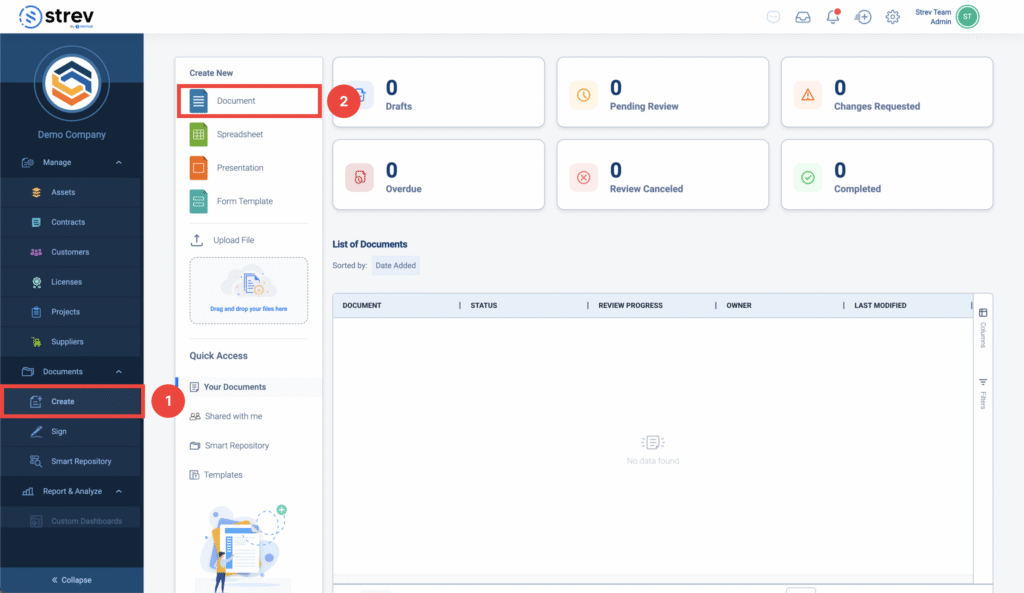
Create a New Document
From the Create page, you’ll see multiple options under Create New:
- Document – Start a standard text-based document (most common for contracts)
- Spreadsheet – Create structured data sheets
- Presentation – Create slide-based content
- Form Template – Build reusable forms
👉 For CLM use cases, select Document.
Steps to Create a Document
- Go to Documents → Create
- Click Document under Create New
- The document editor will open
- Start drafting your content or paste an existing contract
- Save your document
Upload Instead of Creating (Optional)
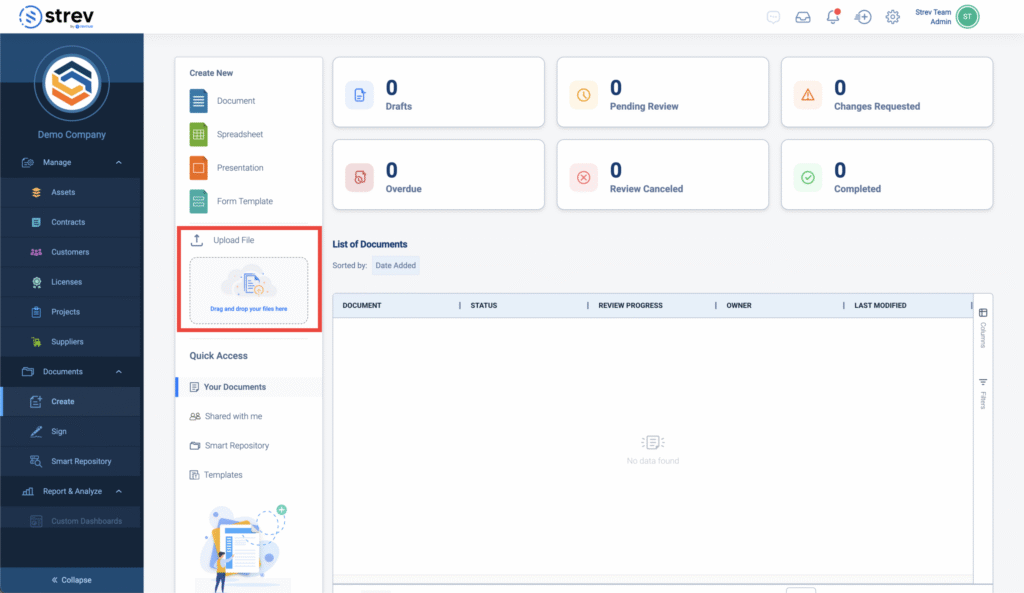
If you already have a document:
- Use the Upload File section
- Drag and drop your file or upload manually
This is useful for:
- Existing contracts
- Vendor agreements
- Legacy documents you want to manage in Strev
Understanding the Dashboard
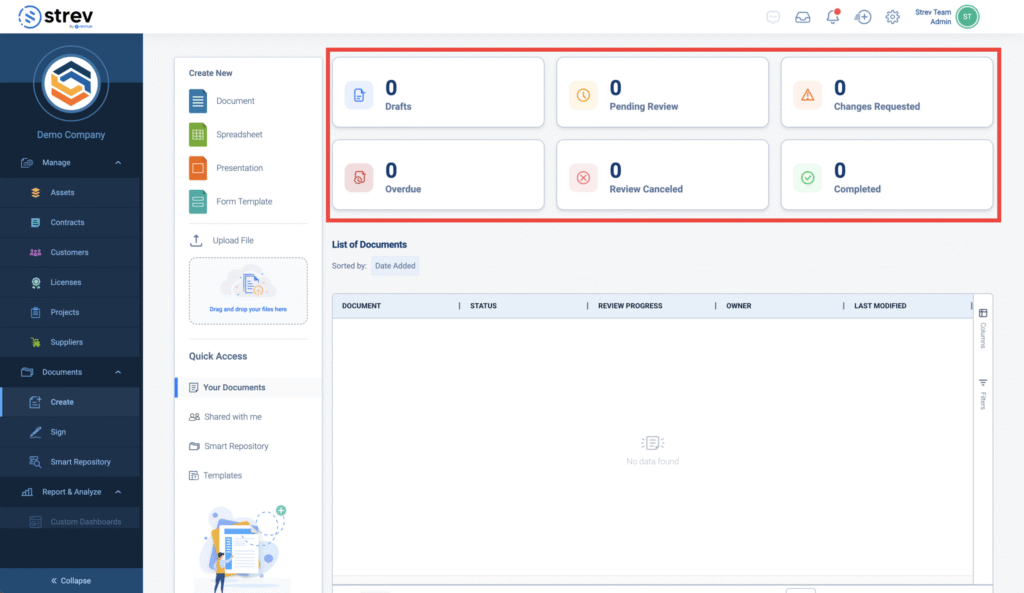
At the top of the page, you’ll see document status counters:
- Drafts – Documents still being worked on
- Pending Review – Sent for review but not yet completed
- Changes Requested – Requires updates from reviewers
- Overdue – Reviews past due date
- Review Canceled – Reviews that were withdrawn by the owner
- Completed – Finished review process
These give quick visibility into where your documents stand.
Managing Your Documents
All created or uploaded documents will appear in the List of Documents section, where you can:
- Track status
- Monitor review progress
- See owner
- Check last modified date
Quick Access Shortcuts
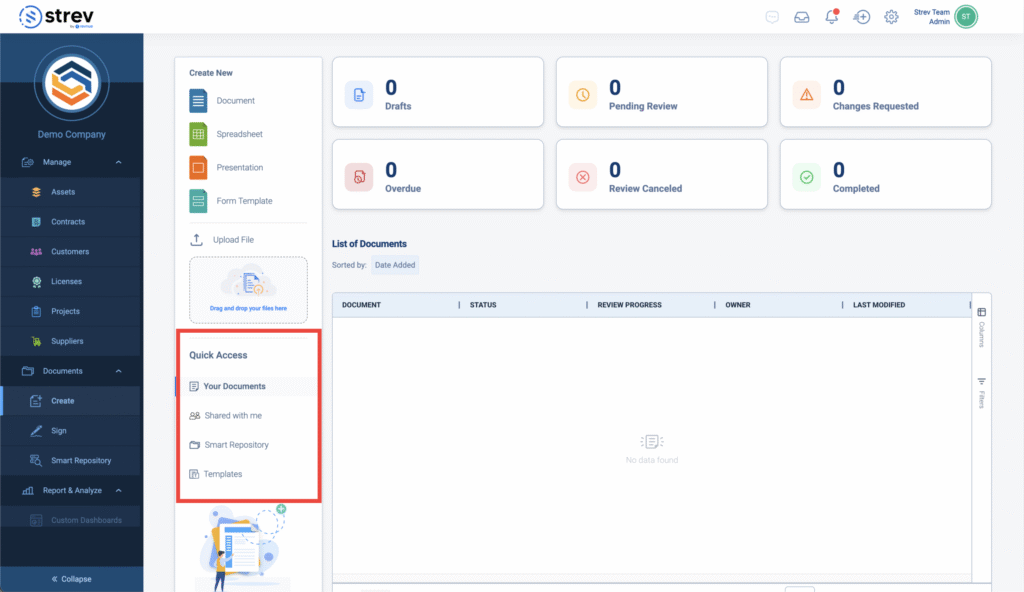
On the left panel:
- Your Documents – Documents you created
- Shared with me – Documents shared by others
- Smart Repository – Centralized storage
- Templates – Reusable document formats
Best Practices
- Start with Templates for standard contracts to save time
- Keep drafts updated before sending for review
- Use clear document names for easier tracking
- Upload legacy contracts to maintain a single source of truth